
Mission Center
Monitor system resource usage
by Mission Center DevelopersVerified
Screenshots & videos
About
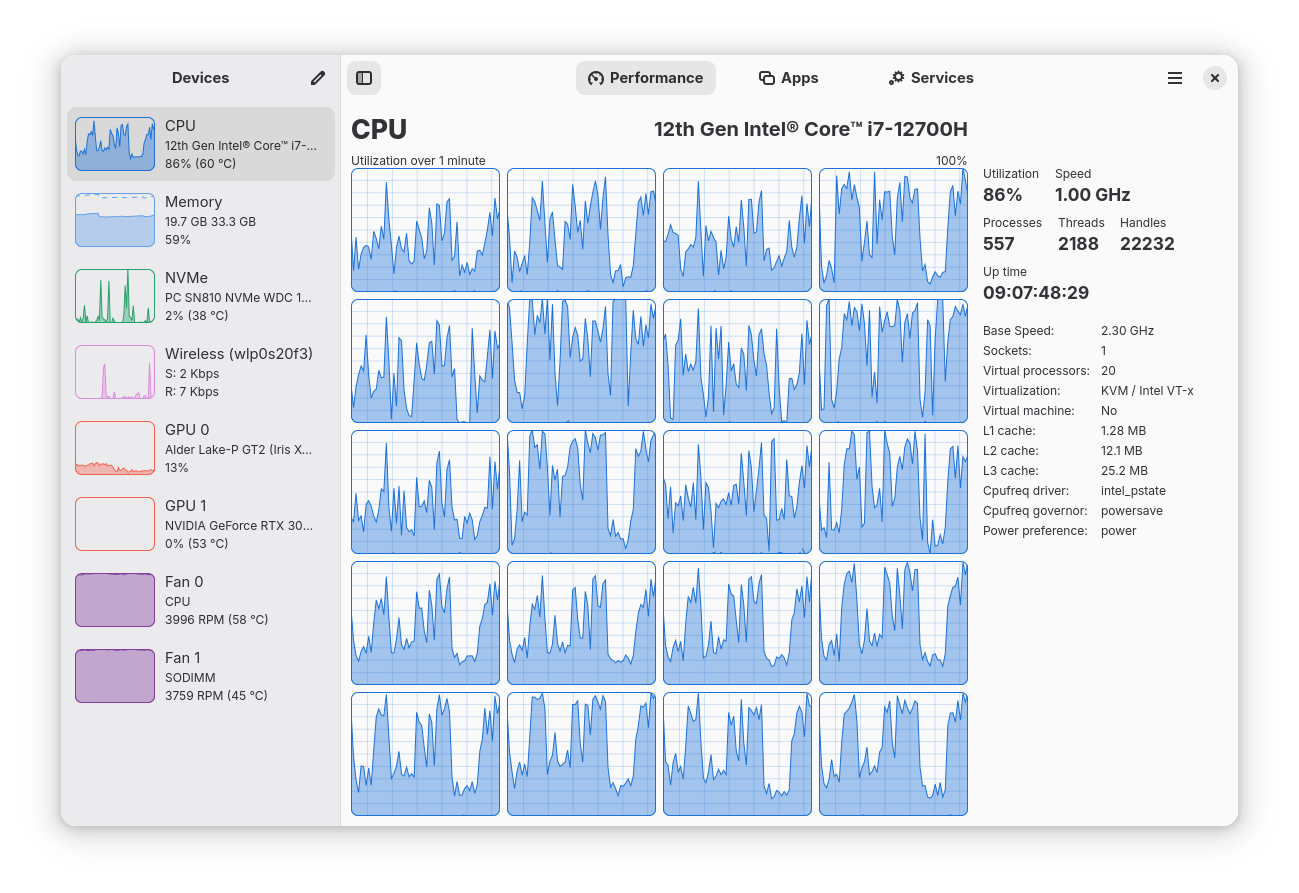
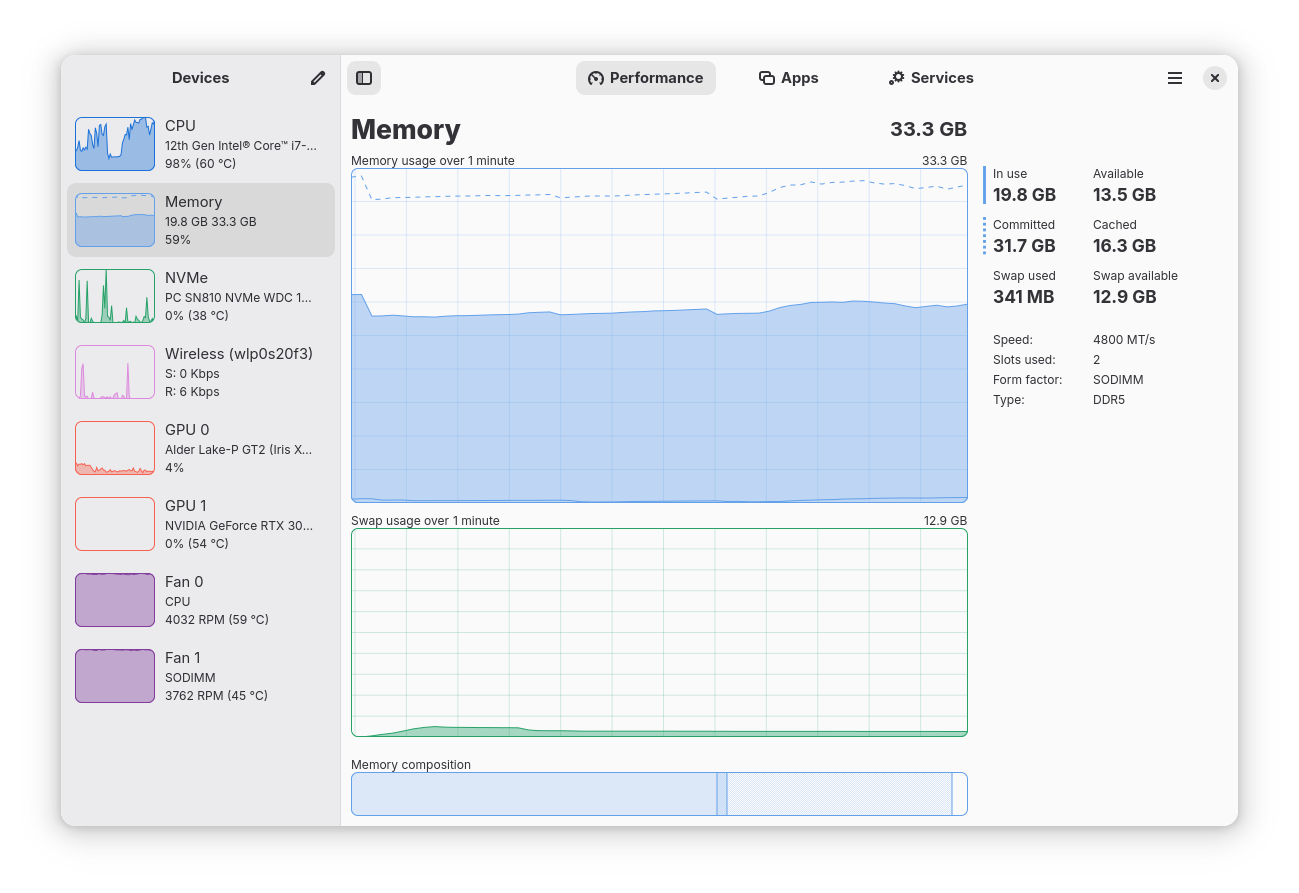
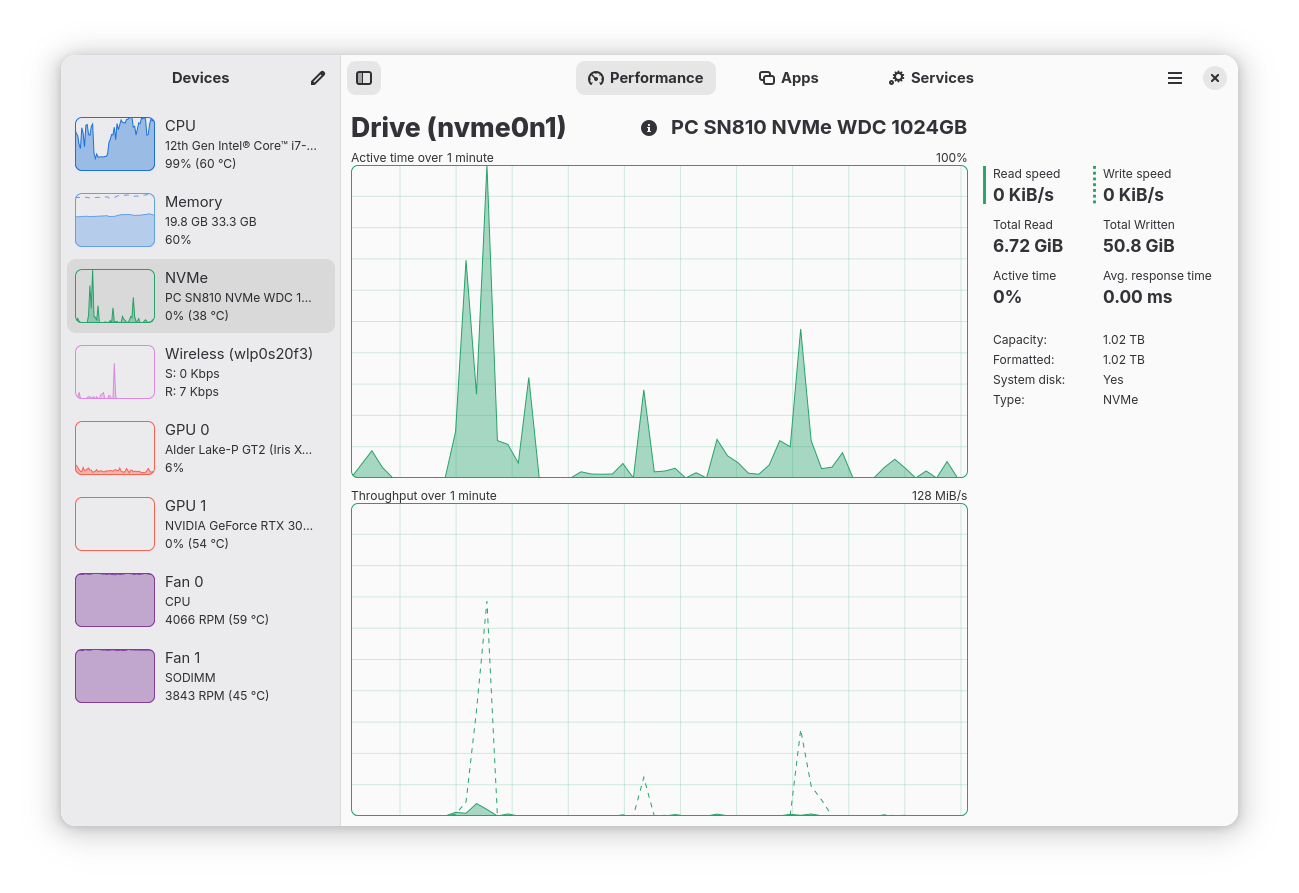
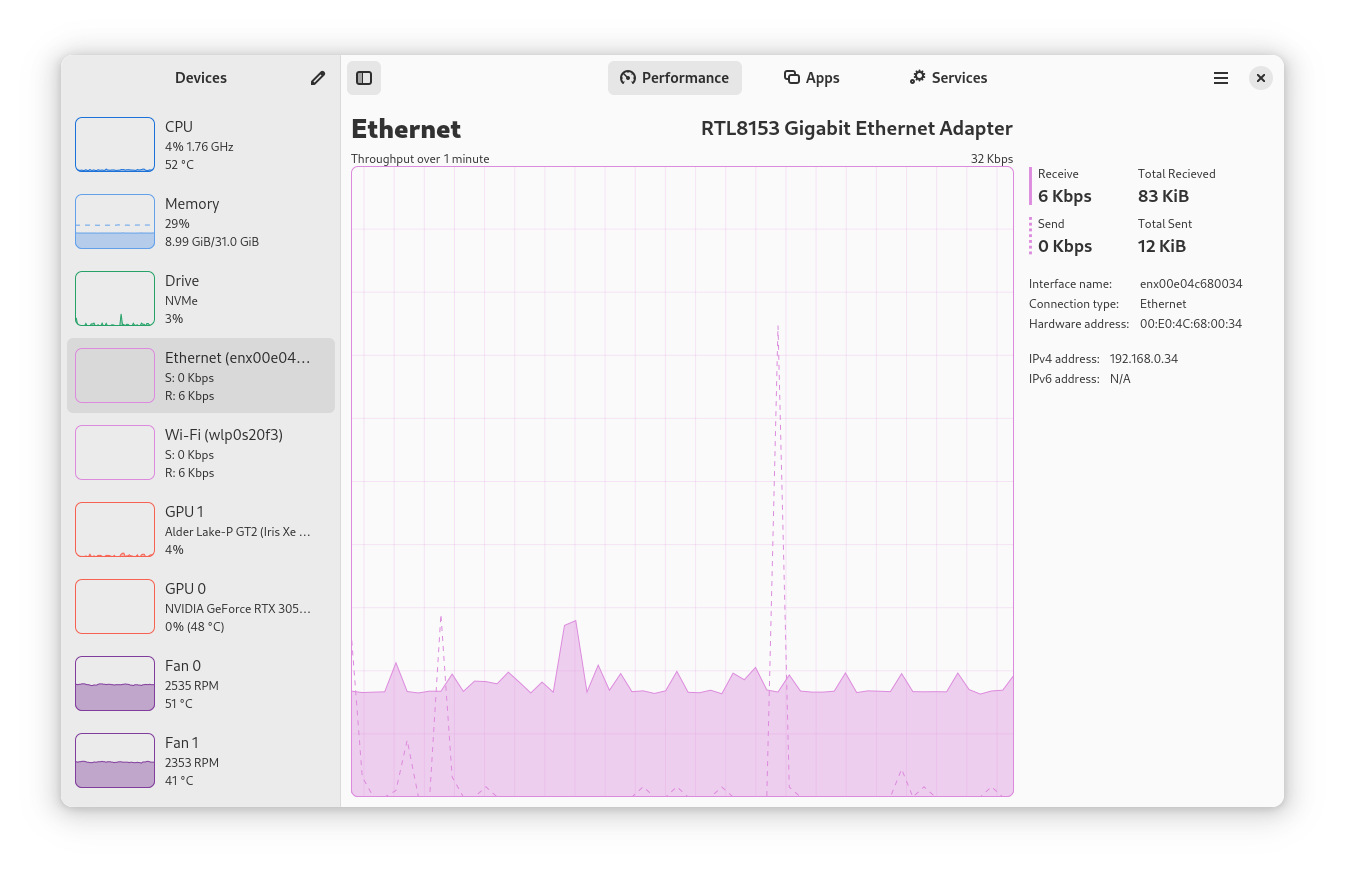
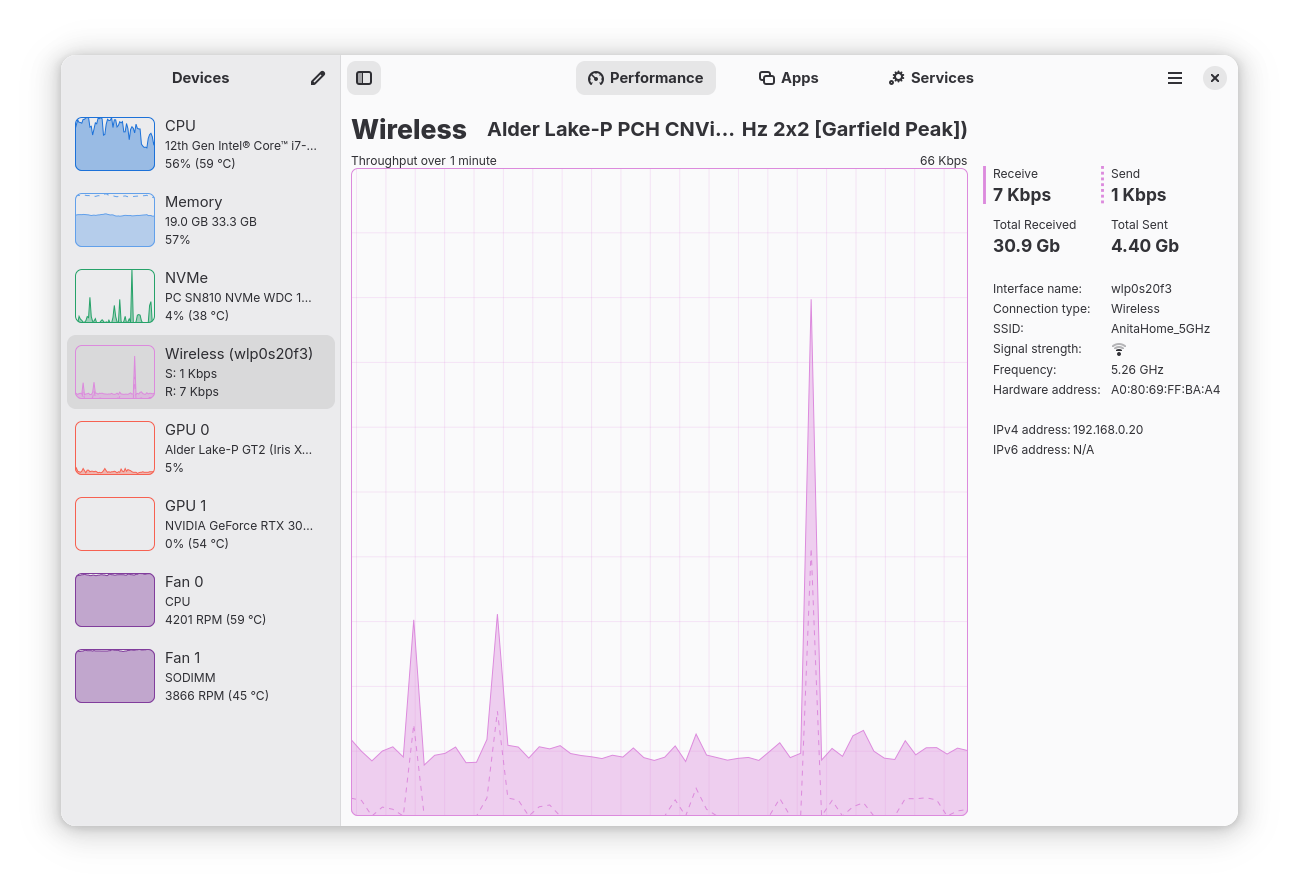
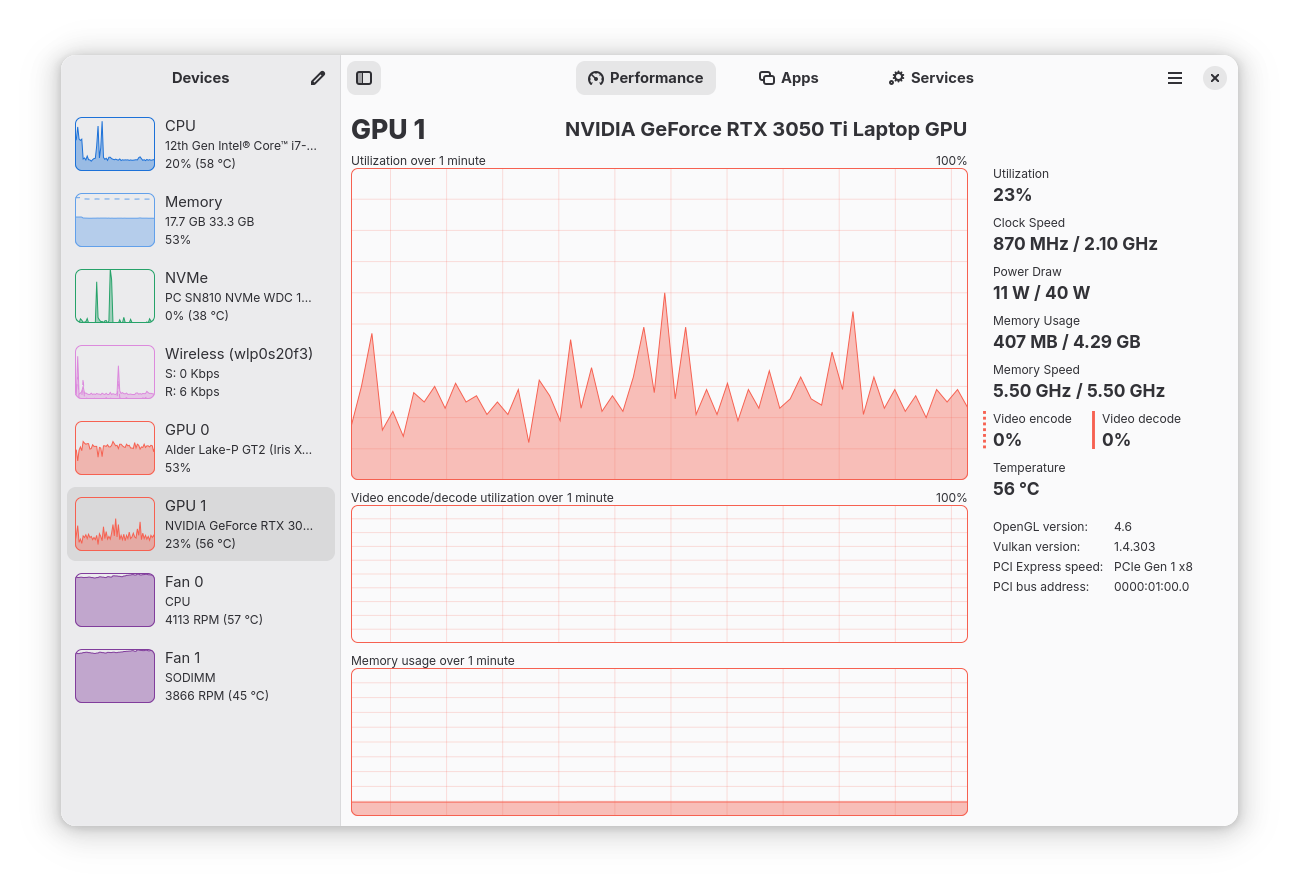
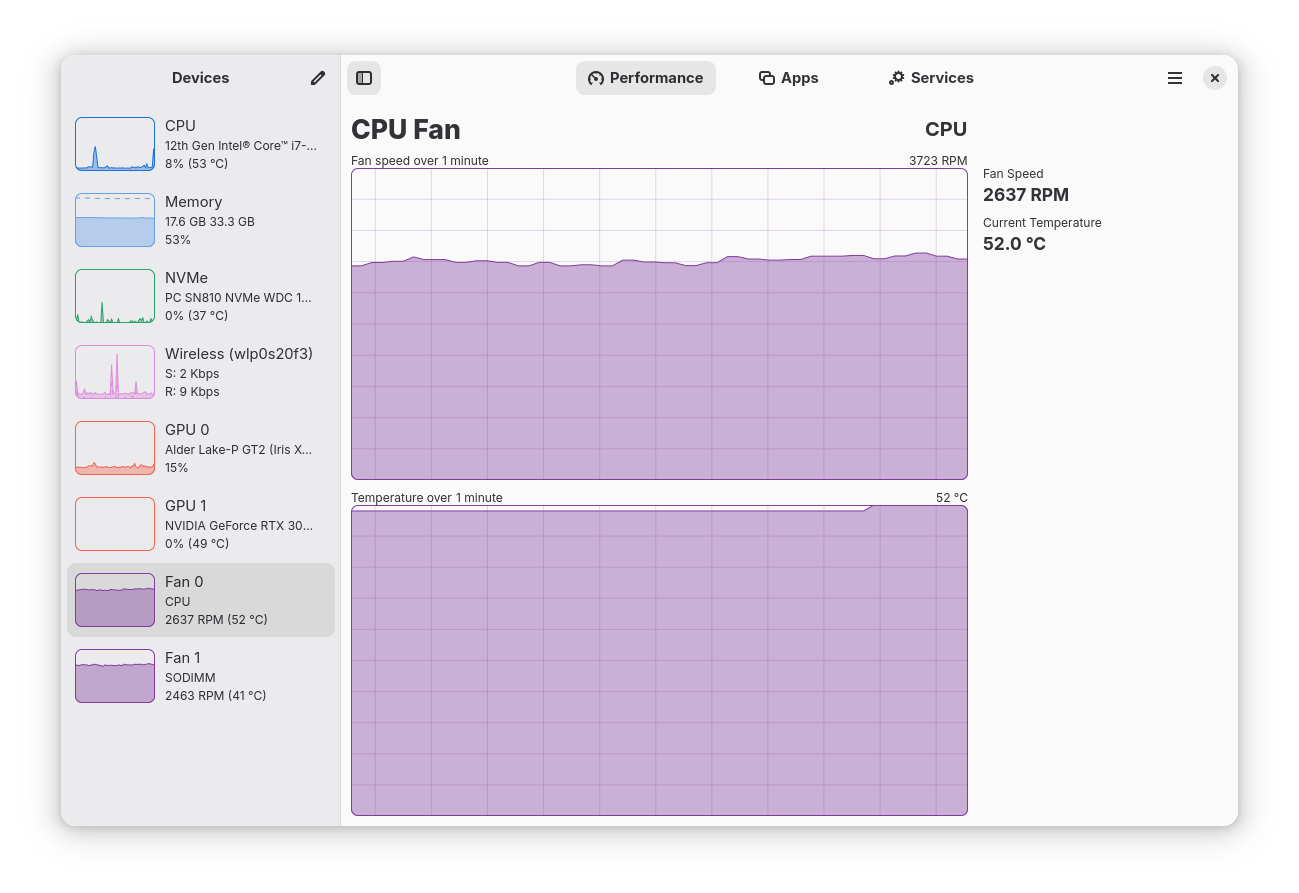
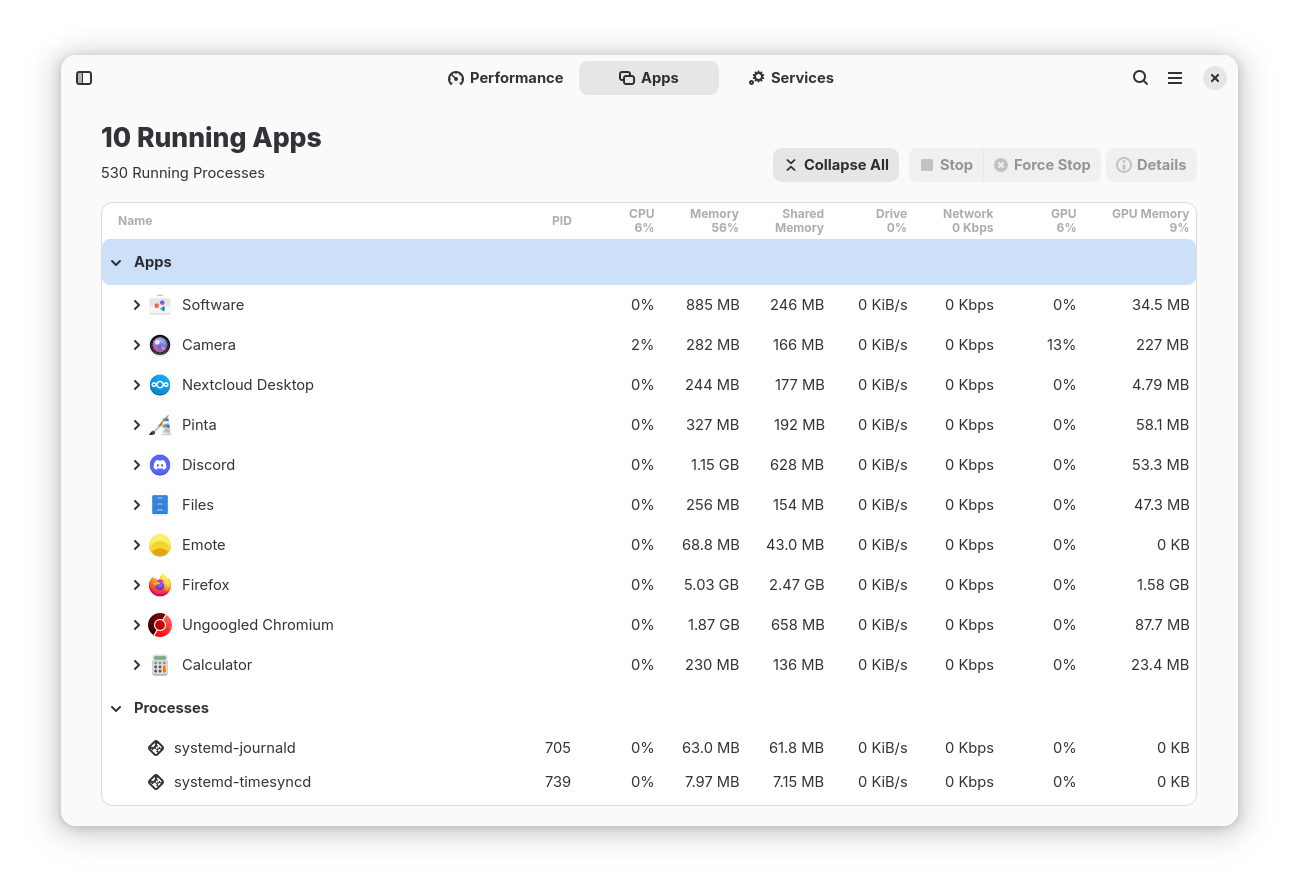
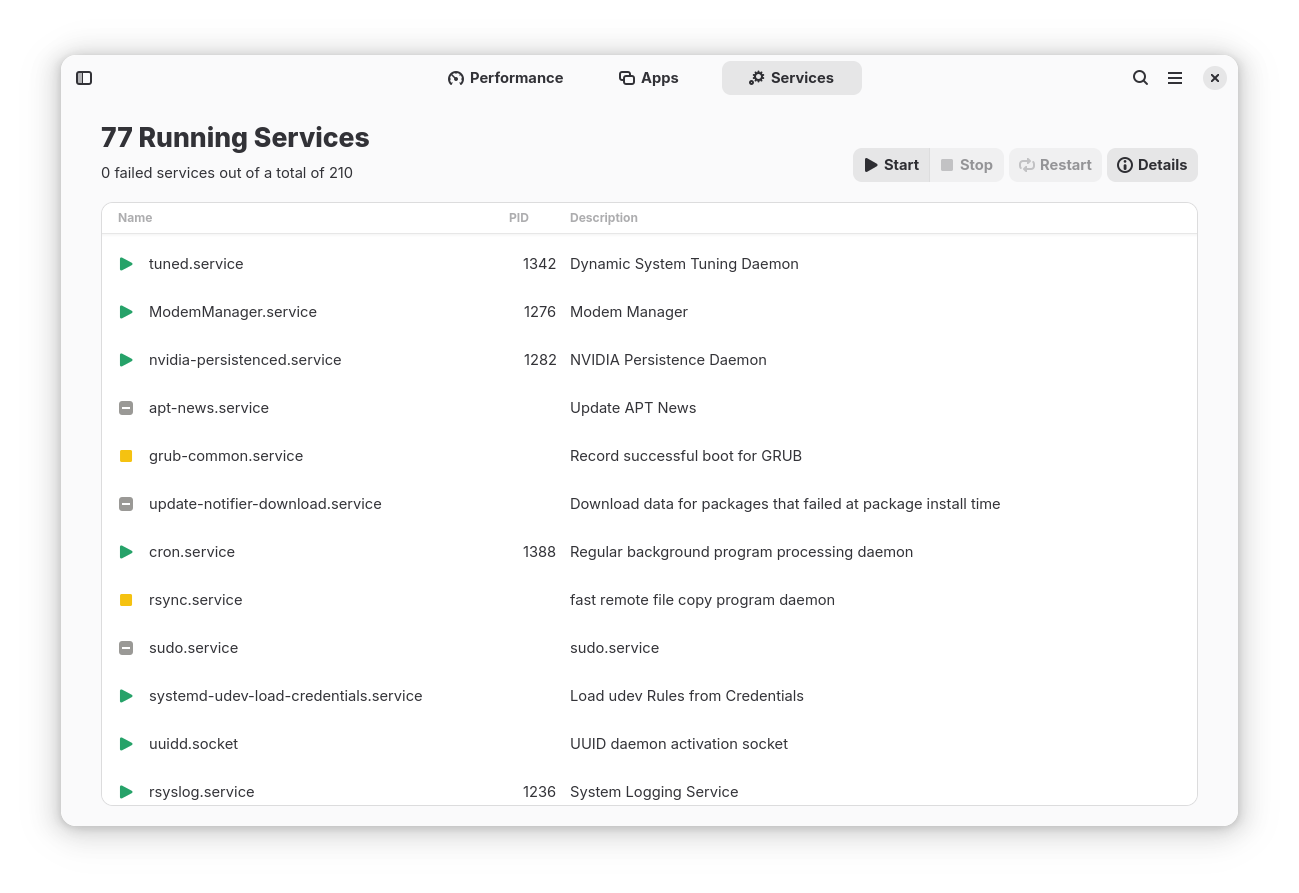
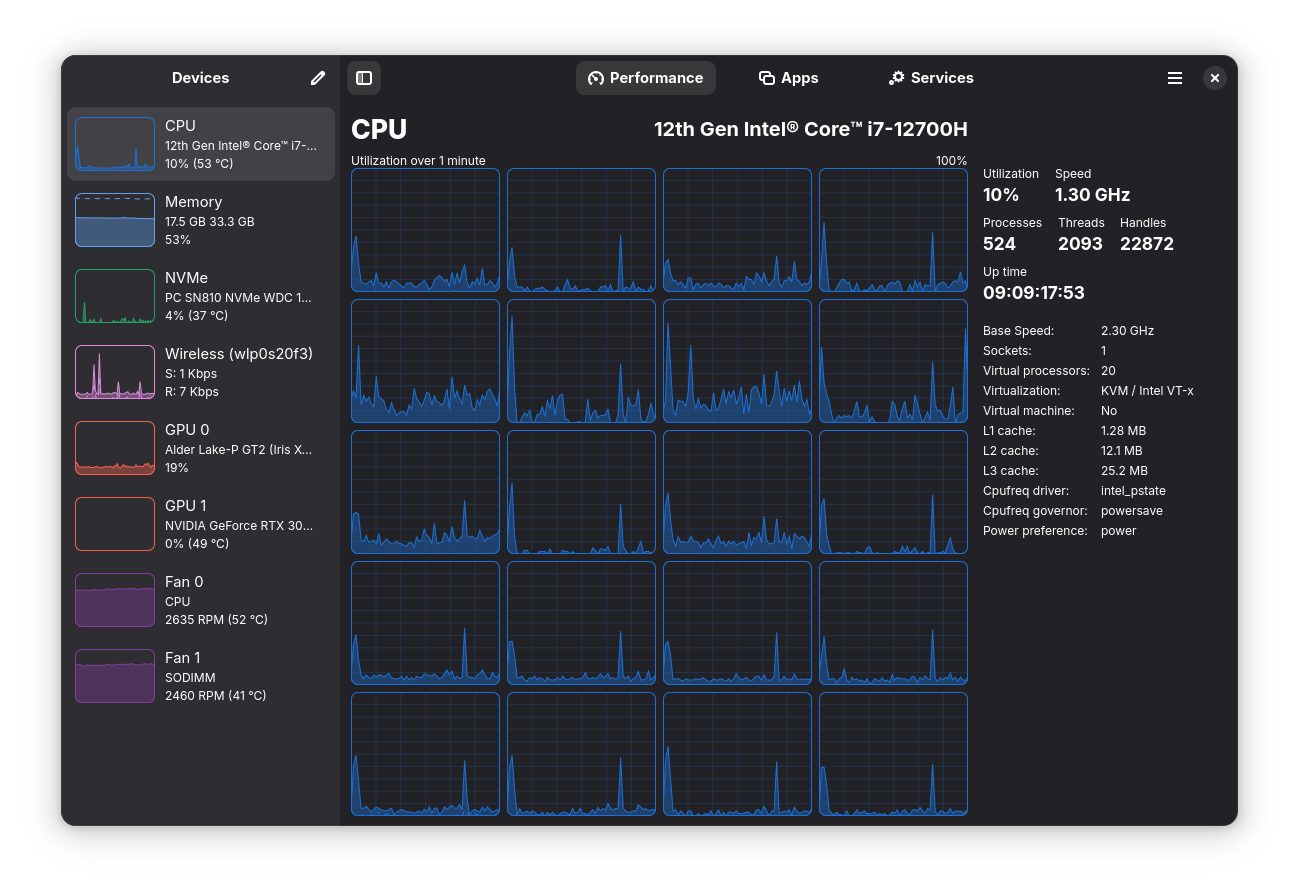
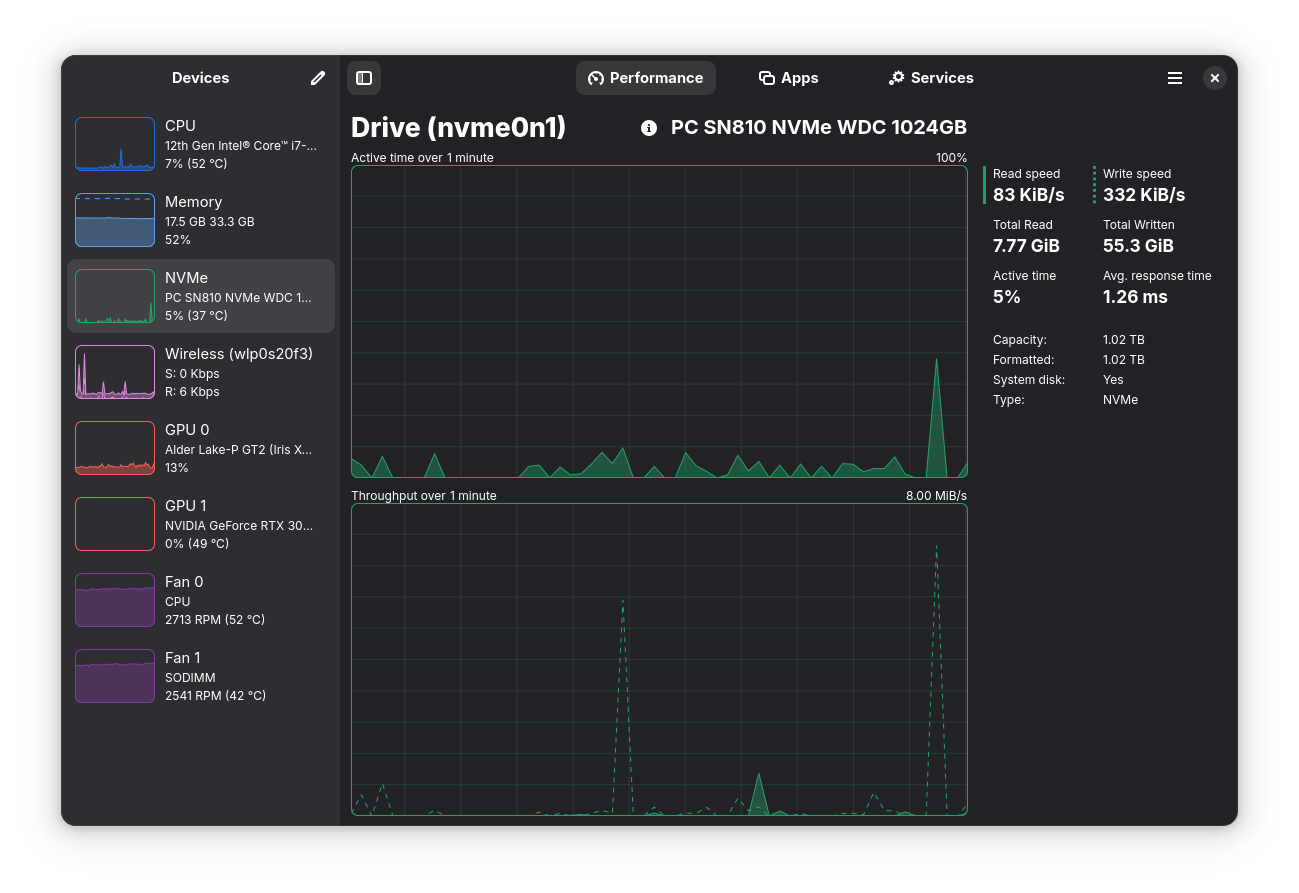
Monitor your CPU, Memory, Disk, Network and GPU usage, accompanied by a per app and process breakdown of these statistics Features: Limitations (there is ongoing work to overcome all of these): Comments, suggestions, bug reports and contributions welcome - Monitor overall or per-thread CPU usage - See system process, thread, and handle count, uptime, clock speed (base and current), cache sizes - Monitor RAM and Swap usage - See a breakdown how the memory is being used by the system - Monitor Disk utilization and transfer rates - Monitor network utilization and transfer speeds - See network interface information such as network card name, connection type (Wi-Fi or Ethernet), wireless speeds and frequency, hardware address, IP address - Monitor overall GPU usage, video encoder and decoder usage, memory usage and power consumption, powered by the popular NVTOP project - Monitor system fans - See a breakdown of resource usage by app and process - Supports a minified summary view for simple monitoring - Use hardware accelerated rendering for all the graphs in an effort to reduce CPU and overall resource usage - Uses GTK4 and Libadwaita - Written in Rust - Intel GPU monitoring is only supported for Broadwell and later GPUs; and does not support VRAM, power, or temperature monitoring - When using Linux Mint/Cinnamon, launched applications may not show up in the "Applications" section (Upstream issue: https://github.com/linuxmint/cinnamon/issues/12015)
Changelog
Noteworthy changes: Minor features: Bug fixes: Translation updates: - Add a new Battery page to the Performance tab, with charge graphs and detailed battery information (@jlo62) - Show per-partition usage details on the disk page, including used and free space (@jojo2357) - Overhaul the graphing backend: smoother animations and rendering, a new loading shimmer while data loads, and less stuttering on application startup (@jojo2357, @kicsyromy) - Improve application detection, fixing wrong names and icons, phantom entries for PWAs, and constantly cycling processes (@kicsyromy) - Improvements to the Snap package, which was upgraded to the core24 snap (@kicsyromy) - Improvements to the AppImage package which now uses quick-sharun, is smaller and no longer depends on FUSE (@kicsyromy) - Add a second CPU graph that can show temperature, power draw or CPU frequency (@jlo62) - Add memory compression (zRAM/zswap) statistics to the Memory page (@timatgca) - Refactor and redesign the Preferences dialog (@kicsyromy) - Allow disabling entire device categories and individual network types (@kicsyromy) - Update to GNOME 50 Platform (@kicsyromy) - Pause UI refreshes by holding the CTRL key, just like the Windows Task Manager (@jlo62) - More accurate per-process memory usage using a hybrid PSS approximation (@kicsyromy) - Show per-process swap usage instead of shared memory in the Apps page (@jlo62) - Allow sending process signals that require elevation via `pkexec` (@jojo2357) - Add an option to select what the middle GPU graph displays (@jlo62) - Add a first run dialog and setup script for advanced features (@jlo62) - Add `--app-id`/`-a` command-line flag for setting custom application IDs (@kicsyromy) - Collapse and expand rows using double-click or the left and right arrow keys (@jojo2357) - Display the network connection state in the network details sidebar (@jojo2357) - Show total GPU memory on the graph when GTT is not available (@jlo62) - Add an option to gray out zero values in the Apps page (@jlo62) - Enhance the About System dialog with more information and better copy functionality (@jlo62) - Add and rebind keyboard shortcuts, including Alt+1/2/3 for switching pages and F9 for toggling the sidebar (@jlo62) - Add a visual indicator when CPU speed falls back to BogoMIPS (@bleys1) - Move icon extraction to backend to improve portability and remote monitoring (@jojo2357) - Fix phantom CPU usage spikes when the system is idle (@kicsyromy) - Fix L3 and L4 cache sizes on CPUs with SNC-like topologies (@kicsyromy) - Treat ZFS ARC as free memory (@kicsyromy) - Fix blurry application icons on HiDPI displays (@kicsyromy) - Fix the SMART dialog so that it properly adapts to narrow widths (@kicsyromy) - Detect drives becoming ejectable at runtime (@jojo2357) - Fix a race condition in the Apps page (@jojo2357) - Fix graphing inconsistency on the disk page (@jojo2357) - Read CPU temperatures from the hwmon directory used by the SteamDeck (@jlo62) - Basque Ibai Oihanguren Sala - Bulgarian Alexander Stoilov - Catalan Xusi Fons Jaime Muñoz Martín - Chinese (Traditional Han script) Kisaragi Hiu 默想刃Mokuso YB - Chinese (Simplified Han script) lumingzh - Czech Pavel Borecki - Dutch Luc van der Werf - Finnish Henri Koivuranta Jiri Grönroos veiskiboi - French Norbert V Nota Inutilis ziyad arif Christophe Jaillet - Georgian Temuri Doghonadze - German Aircraft192 anon - Indonesian Arif Budiman - Irish Aindriú Mac Giolla Eoin - Italian Pierfrancesco Passerini - Kabyle ButterflyOfFire - Korean murllock329 - Norwegian Bokmål ovl-1 Telaneo - Occitan Quentin PAGÈS - Polish NooB9496 - Portuguese Hugo Carvalho Jonathan Teixeira - Portuguese (Brazil) Rafael Henrique Rubens Stuginski Jr - Russian Anatoly Bogomolov Maxim - Serbian Марко М. Костић - Spanish Xusi Fons - Swedish Game Nobz Jonas Viktor Engkvist - Tamil தமிழ்நேரம் - Turkish İsmail POLAT Sabri Ünal - Ukrainian anonymous Димко - Vietnamese lebao3105 Loc Huynh
Additional information
- Developer
- Mission Center Developers
- License
- GPL-3.0-or-later
- Category
- System Tools
- Languages
- ar, be, bg, ca, cs, da, de, en_US, es, et, eu, fi, fr, ga, gl, hi, hu, id, it, ja, ka, ko, nb_NO, nl, pl, pt, pt_BR, ro, ru, sr, sv, ta, tr, uk, vi, zh, zh_TW
- Size
- 14.7 MB
- Homepage
- https://missioncenter.io
- Available via
- Flathub (Flatpak), AUR (git build), Arch Linux, Nixpkgs
- Catalog data as of
- 9/3/2026 (dataset snapshot date — per-app update dates aren't tracked yet)