
Color Picker
Choose colors from the picker or the screen
Screenshots & videos
About
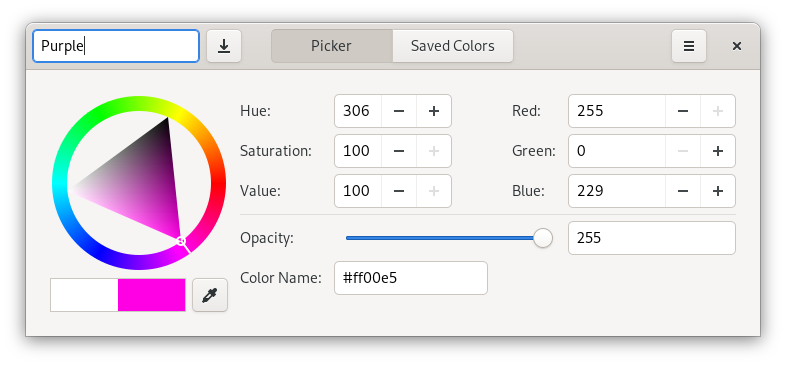
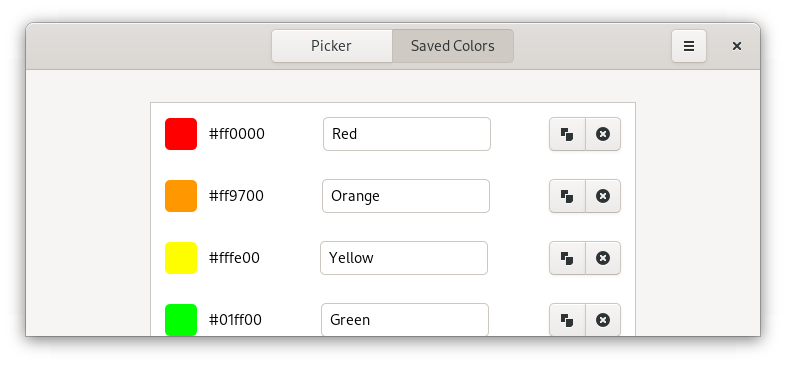
Ever wanted to know the value of that color on your screen? Color Picker enables you to pick the color from any pixel on your screen. It also offers a palette, so that you can easily mix and match a couple of colors together. When you have found the perfect combination of colors, naturally you want to save them. Color Picker allows you to conveniently save and retrieve colors. Color Picker is a color selection dialog written in GTK 3. It is much alike Gcolor2, but uses the newer GTK version and other modernisations to better integrate into your modern desktop.
Changelog
Gcolor3 is now "Color Picker"! With the rename comes a new maintiner, a new icon, lots of new improvements, and many translation updates. - Color Picker now works on Wayland! - The typography and iconography of Color Picker has changed to be consistent and more in line with the GNOME HIG. - The use of deprecated GTK APIs has been dropped, which will make porting to GTK4 a smooth process. - Multiple other under-the-hood improvements
Additional information
- Developer
- Christopher Davis
- License
- GPL-2.0+
- Category
- Graphics & Design
- Languages
- cs, da, de, en_GB, en_US, es, eu, fi, fr, fur, gl, hu, id, it, nb, nl, pl, pt_BR, ro, ru, sr, sv, tr, uk
- Size
- 418.4 KB
- Homepage
- https://www.hjdskes.nl/projects/gcolor3/
- Available via
- Flathub (Flatpak), AppImage, AUR, AUR, AUR (git build), Debian, Ubuntu, openSUSE
- Catalog data as of
- 9/3/2026 (dataset snapshot date — per-app update dates aren't tracked yet)