
SONE
Native TIDAL client for Linux — modern UI, bit-perfect lossless FLAC and Hi-Res audio
by Hassan RabbiVerified
Screenshots & videos
About
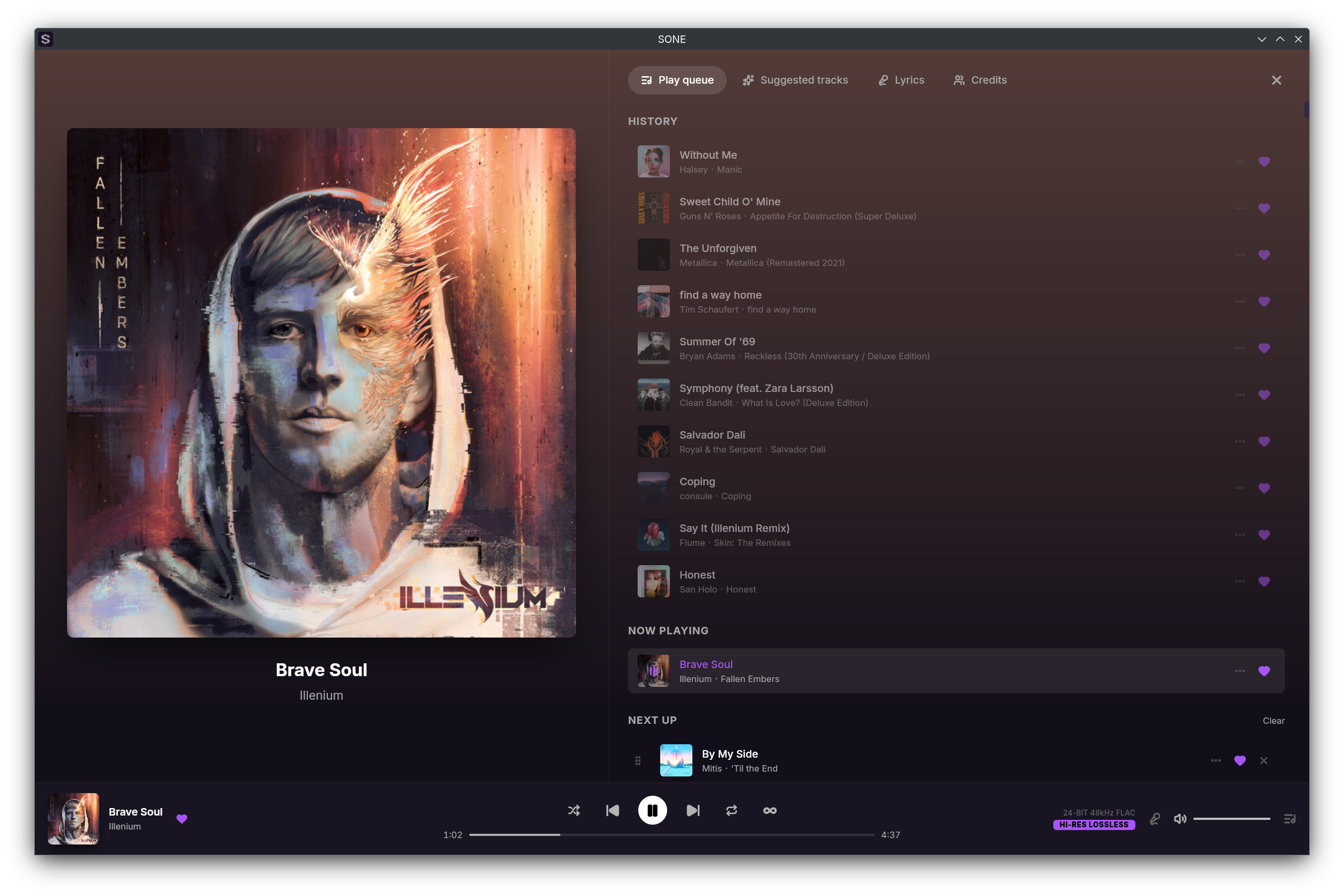
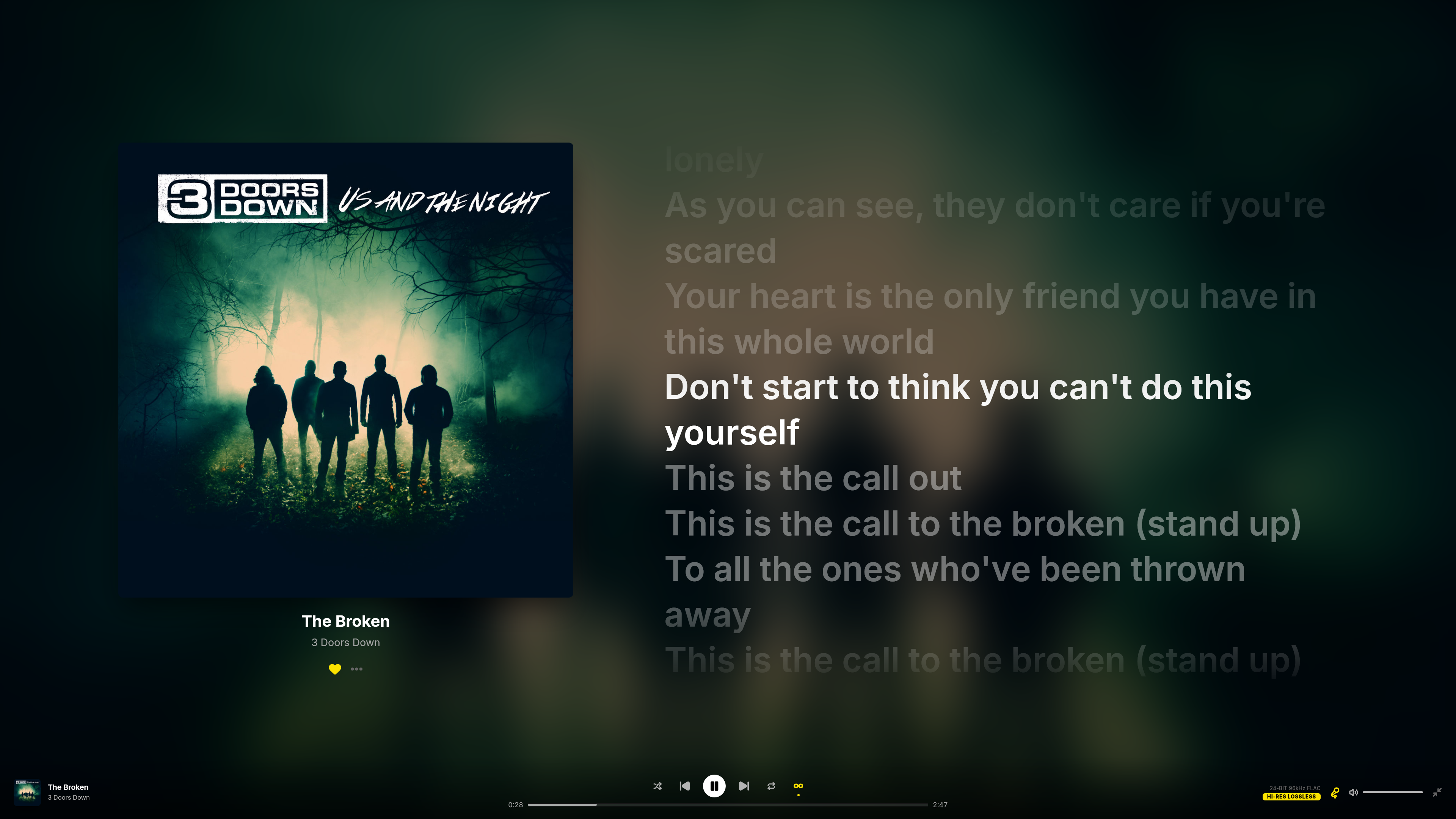
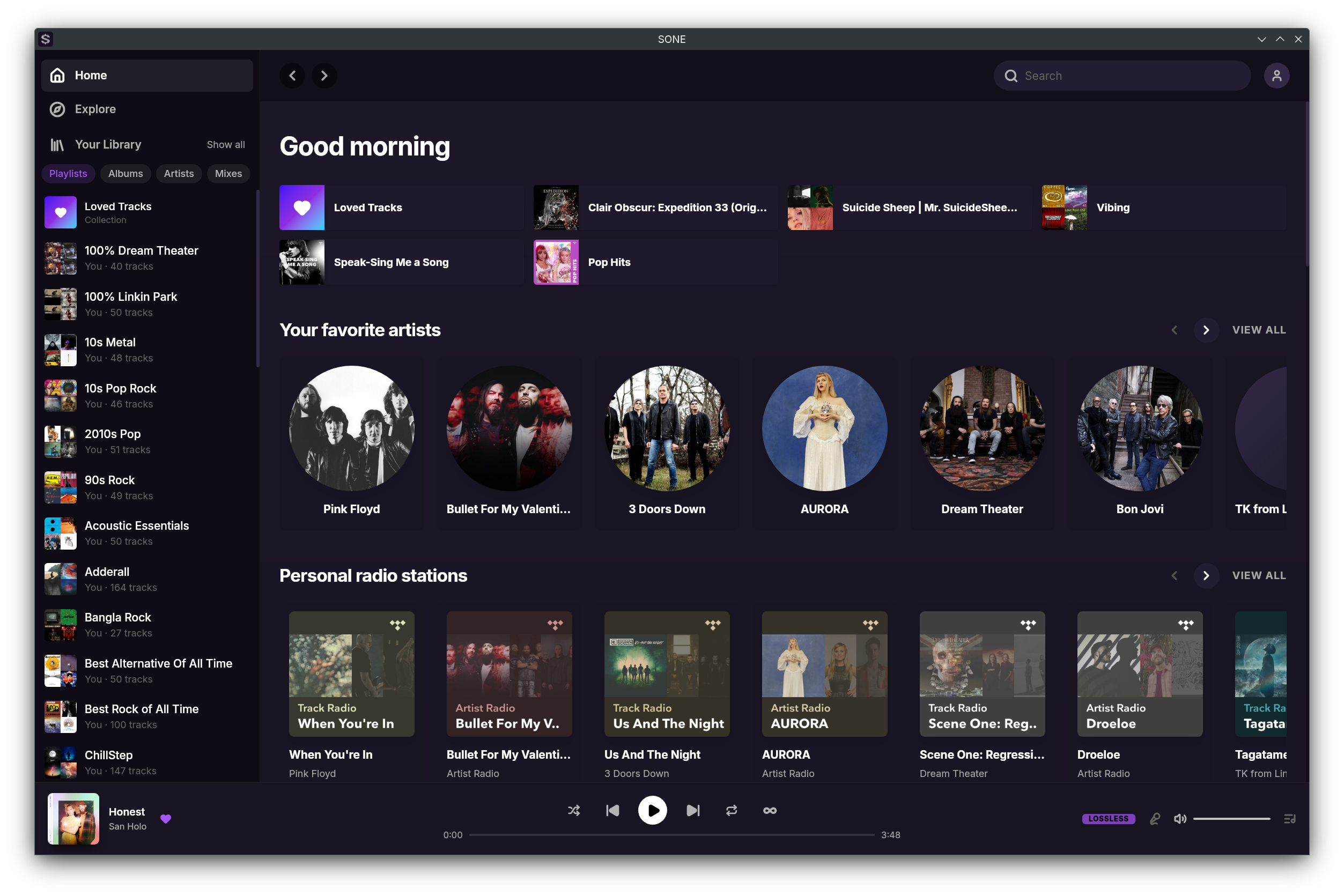
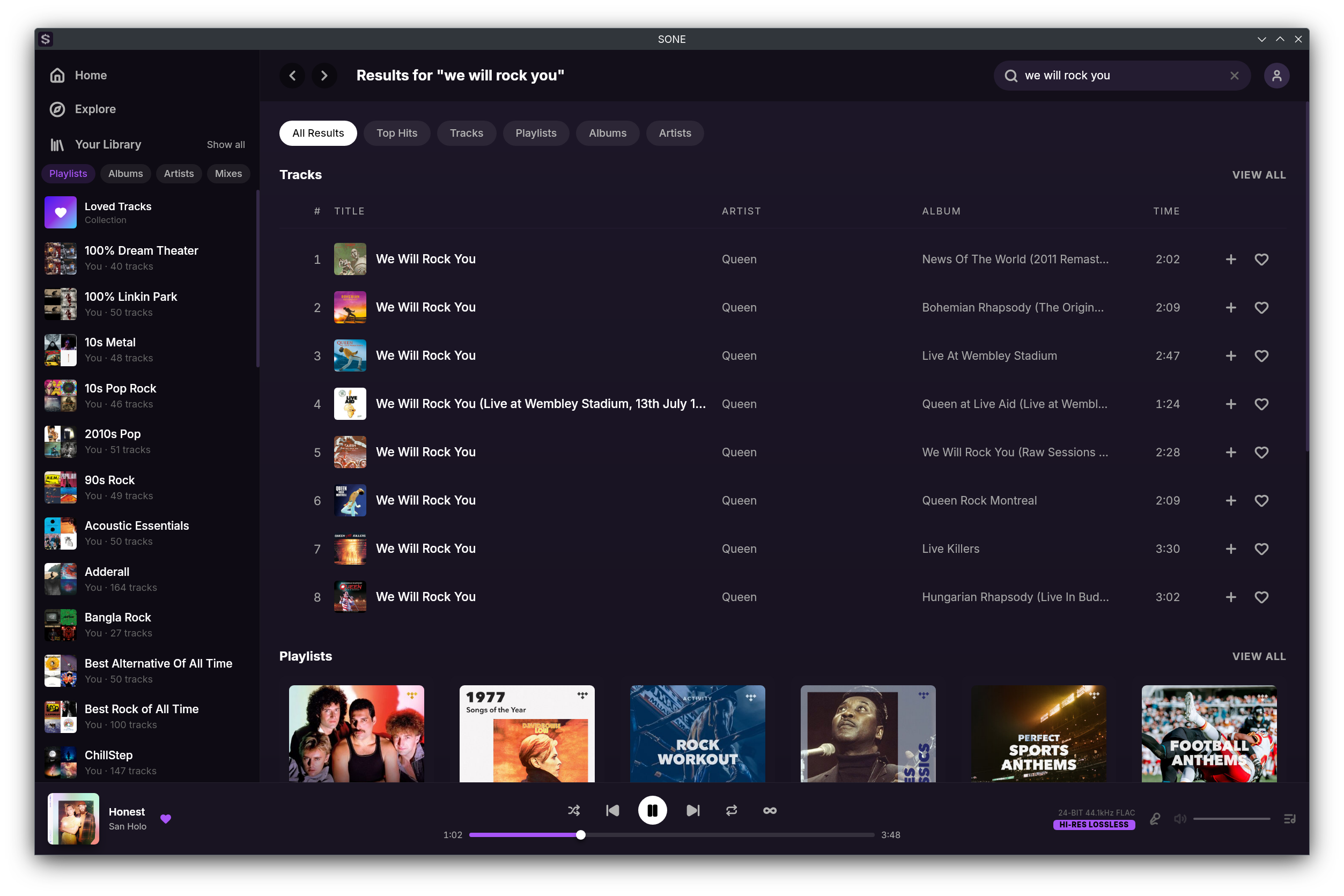
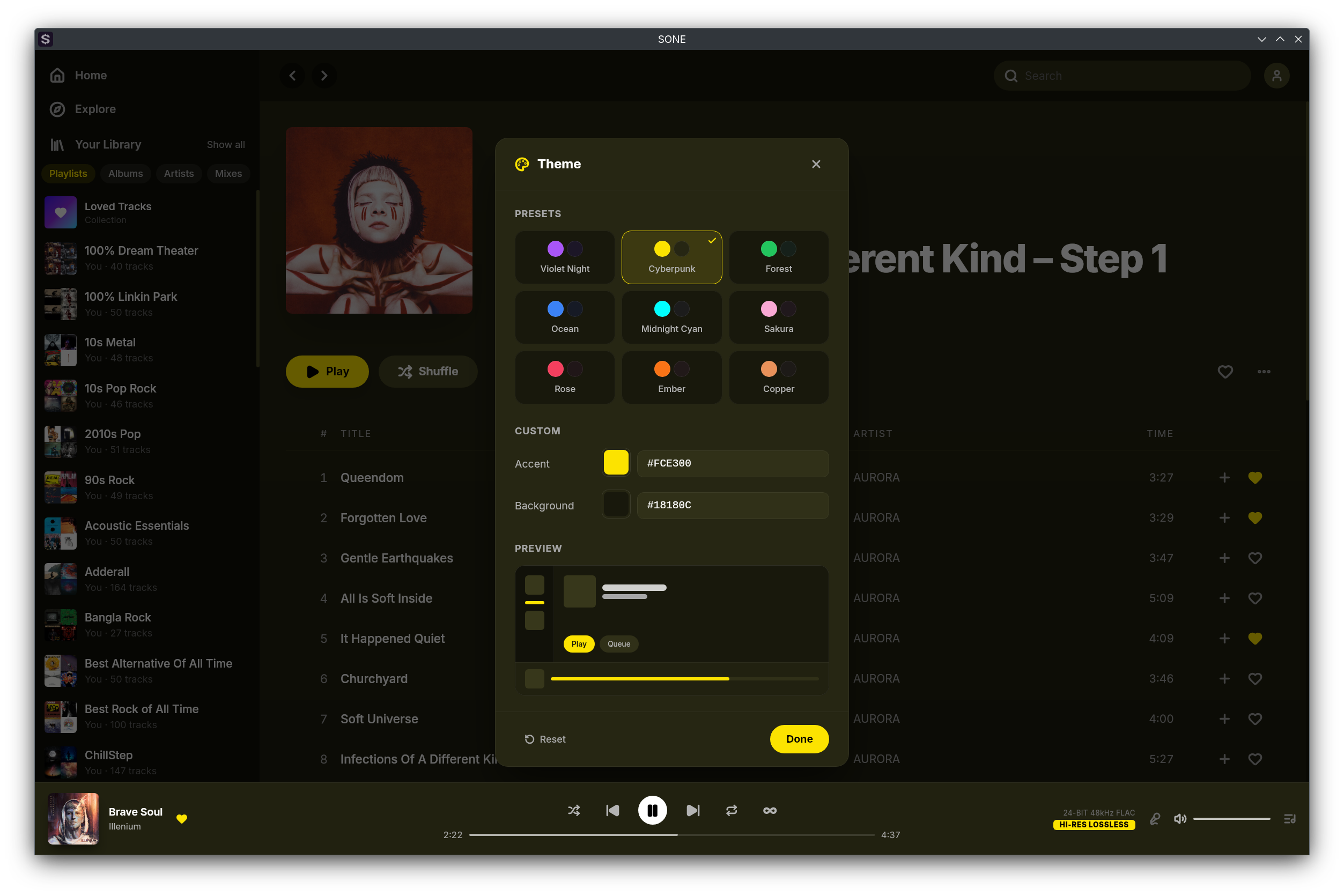
SONE is a native, lightweight desktop client for TIDAL on Linux that pairs a modern, polished interface with bit-perfect, lossless Hi-Res audio — no compromise on either. Built with Tauri and Rust, it's small and fully native. The interface is customizable to the core: a full-screen player with karaoke-style synced lyrics, a floating miniplayer, and a theming engine that derives a complete light or dark palette from any two colors. It streams your library in lossless FLAC and Hi-Res quality up to 24-bit/192kHz, with gapless, silence-free playback. For bit-perfect output, exclusive ALSA mode bypasses PulseAudio and PipeWire entirely, sending the unaltered signal straight to your DAC — or use normal mode for casual listening through your system's default output. Audio Video Interface and customization Library and playback Integrations and system Unofficial client — requires an active TIDAL subscription. SONE is a streaming client only and does not support offline downloads. - Lossless FLAC and Hi-Res streaming up to 24-bit/192kHz - Exclusive ALSA output — bypasses PulseAudio and PipeWire, sending bit-perfect audio straight to your DAC - Bit-perfect mode with bit-depth promotion to your DAC's native depth - Automatic DAC format and sample-rate detection, with graceful fallback on mismatches - Channel negotiation and a stereo mix matrix for fixed-channel DACs - Hot-swap DACs — the ALSA output re-initialises on device change, no restart needed - Signal Path Transparency — inspect the live pipeline and confirm a pristine, bit-clean path to your DAC - Gapless, silence-free playback - Volume normalization (ReplayGain) with automatic album/track switching - Music video playback in a dedicated player — full-screen or minimized to the player bar, with HLS streaming that starts at your selected quality and adapts to your bandwidth (video audio is streamed, not the bit-perfect path) - Videos and tracks share one queue, with shuffle, repeat, autoplay, and history across both - Favorite videos, browse them in Loved Tracks/Videos tabs, add them to playlists, and find them in Explore and search - Modern, fully customizable light and dark themes - 15 theme presets and a full color picker that derives a complete palette from any two colors - Full-screen player with album art, a blurred backdrop, and auto-hiding controls - Karaoke-style synced lyrics - Floating, resizable miniplayer - Tabbed home page that remembers your last view - Optional custom title bar — toggle native window decorations - Customizable in-app keyboard shortcuts - Browse your library, playlists, albums, artists, and mixes - Personalized home feed and full catalog search - Playlist management — folders, create, rename, edit, reorder, and public/private toggle - Sort tracks and favorites by date added, name, or artist - Queue with append and persistence across restarts - Track and mix radio - Explicit-content filter - Scrobble to Last.fm, Libre.fm, and ListenBrainz with ISRC and MusicBrainz metadata - Discord Rich Presence with album art and a customizable status - MPRIS media controls with media-key, position, shuffle, repeat, and seek support - System tray with single-instance focus - Open and share tidal:// deep links for tracks, albums, playlists, artists, and mixes - Keep Awake — prevents the screen from sleeping during playback on X11, Wayland, and D-Bus - MCP server — external AI agents like Claude Code can search your library and control playback (off by default) - Proxy support — HTTP, HTTPS, and SOCKS5 - Sign in securely with PKCE inside the app
Changelog
Music Videos Video Player Favorites Playlists Explore & Search - Watch music videos in a dedicated video player — go full-screen or minimize it to the player bar and keep browsing - HLS streaming that starts at your selected quality and adapts down smoothly when your bandwidth drops - Videos and tracks share one queue — previous, next, shuffle, repeat, autoplay, and history all work across both - Full transport, favorite, quality, volume, full-screen, and minimize controls - The playing video is restored when you relaunch SONE - Control video from the tray, MPRIS media keys, the miniplayer, and in-app keyboard shortcuts, just like audio - Favorite videos, kept separate from your loved tracks and reflected everywhere you see them - Loved page now has Tracks and Videos tabs — a paginated, searchable video grid with tab-aware Play and Shuffle, and starting one queues the rest - Add videos to your playlists; mixed playlists show an accurate "N Videos · M Tracks" count - New video sections while you explore — Featured playlist promos and wide 16:9 video cards - Videos in search — a Videos section in All Results, a dedicated Videos tab, and video rows in Top Hits
Additional information
- Developer
- Hassan Rabbi
- License
- GPL-3.0-only
- Category
- Music & Audio
- Size
- 20.5 MB
- Homepage
- https://github.com/lullabyX/sone
- Available via
- Flathub (Flatpak), Snap Store (stable build), AUR, AUR (bin build), Nixpkgs
- Catalog data as of
- 9/3/2026 (dataset snapshot date — per-app update dates aren't tracked yet)